How to choose business blog topics that can rank & drive traffic
Choosing the right blog topic isn’t about copying competitors - it’s about building authority that supports real business goals and drives traffic.

Today is more than reviewing blog posts or page texts. A proper audit helps understand whether your content actually supports user needs, improves navigation and helps people make decisions.
Even strong pages can underperform because of outdated information, duplicate topics or weak alignment with search intent. That’s why these businesses audit not only for SEO, but also for usability and conversion performance.
A structured audit process helps identify what content works, what creates friction and what changes can improve engagement and conversion rates.
If you want to perform an audit professionally, explore perform a content audit.
What you’ll learn from this article:
A successful website audit starts with clear goals. Before you audit website content, it’s important to understand both business objectives and user expectations.
A strong audit evaluates not only quality, but also whether pages help users solve problems, navigate easily and make decisions faster. Connecting business goals with user needs makes the audit process more focused and impactful.
Before you audit, define:
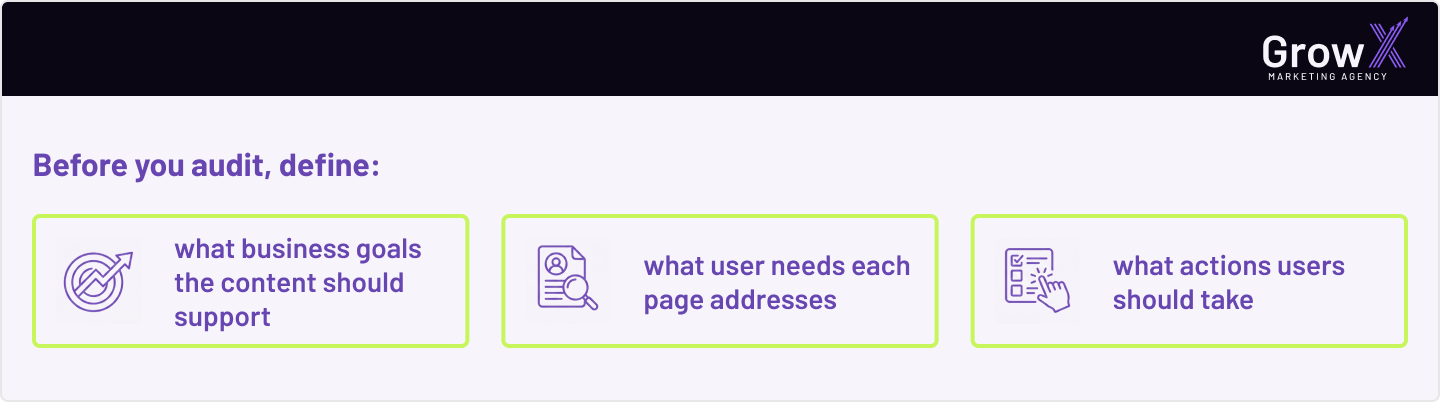
A strong UX audit evaluates not only quality, but also whether pages match user expectations at each stage of the journey.
Different types require different evaluation criteria. Blog articles may focus on engagement and organic traffic. Service pages should support conversions and clarity.
Product pages must help users compare options and make decisions quickly. The best practice is building criteria around usability, relevance, readability and business value.
A complete audit process starts with understanding what content already exists across the website.
A structured website audit helps identify which pages perform well, which need updating and which no longer support user needs or business goals. Organizing pages by topic, funnel stage and performance metrics also helps reveal gaps, duplicates and outdated information.
The first step is building a structured inventory that gives you a full view of the website. Instead of reviewing pages randomly, organize all URLs together with key information like page titles, metadata, traffic performance, theme category, funnel stage and previous update activity. This helps you better understand how content is distributed across the site and which areas may require optimization, updated content or deeper analysis.
To make the audit process accurate, teams usually collect data from multiple sources at once. This includes CMS platforms, website crawlers, Google Analytics and Search Console. Bringing this information together helps combine qualitative insights with real performance data, making it easier to detect weak pages, UX issues and gaps within your strategy.

Grouping pages by topic, search intent and funnel stage helps better understand how users move through the website and where it supports or blocks decision-making.
This also makes it easier to identify duplicate topics, outdated sections, navigation issues and pages that no longer match user needs.
The next stage is understanding how well the content actually performs for users.
A good audit looks beyond rankings or traffic numbers. It evaluates whether the page is clear, useful, easy to navigate and aligned with user expectations at a specific stage of the journey. Even strong content can underperform if the structure, readability or experience creates friction.
Strong content should help users find answers quickly and move through the page without confusion. During a website audit, it’s important to evaluate whether the information is clear, easy to read and aligned with real search intent.
Even pages with good rankings can create poor UX if the structure feels overwhelming, the messaging is unclear or users struggle to trust the information. Good content is not only optimized for search engines - it also needs to feel useful, natural and actionable for real people.
Many websites contain pages that need updating because the information is old, duplicated or no longer useful.
Updated content often performs better because it reflects current user intent, industry trends and search behavior.
Removing or merging weak pages can also improve navigation and overall website clarity.
A UX-focused audit should evaluate how users actually interact with pages, not just how much traffic they receive. Metrics like bounce rate, time on page, scroll depth, conversion rates and navigation behavior help reveal whether the content supports user needs or creates friction.
These signals show how people move through the page, where they lose interest and whether the structure encourages action. In many cases, weak engagement is not caused by poor traffic, but by confusing layouts, outdated content or unclear messaging.

Not every page needs the same level of optimization. Some pages may already perform well, while others may require major content changes or restructuring. Prioritizing updates helps focus resources on the areas with the biggest UX and business impact.
During the audit process, pages are usually grouped based on their current value and performance. Some content stays unchanged, some pages need updating, others can be merged to remove duplication and low-value pages may need to be removed completely.
This approach keeps the website cleaner, improves navigation and makes optimization efforts more impactful instead of spreading work across every page equally.
The goal is improving both usability and business performance at the same time.
If you need marketing advice on UX or strategy, visit our page on this topic.
These audits should not be treated as one-time projects. User behavior, search intent and business goals constantly evolve, which means content can lose relevance over time even if it performed well before. Regular reviews help identify outdated pages, content that no longer supports user needs and areas where updated content is required.
An ongoing audit process also helps maintain better UX across the website. Instead of reacting only when performance drops, businesses can continuously improve navigation, readability and quality before problems affect traffic or conversion rates.
As websites grow, content naturally becomes outdated or fragmented. Regular audits help maintain consistency, improve UX and support long-term SEO performance.
Businesses using structured marketing solutions usually integrate audits directly into their publishing workflow.
Explore content marketing solutions to see how ongoing optimization supports growth.
A long-term workflow helps teams:
This turns the audit process into an ongoing optimization system instead of a reactive cleanup task.
Working with experienced growth marketing experts also helps maintain higher quality standards over time.


An audit is highly beneficial when done correctly. It helps improve navigation, remove low-value pages and ensure content supports real user needs instead of simply filling the website.
Businesses perform an audit to understand what content works, what creates friction and which pages need updating, merging or removal. It improves UX, SEO clarity and overall conversion performance.